
Fast Reboot Pro - Google Play
You'll be able to see results in few seconds.
Publisher Description
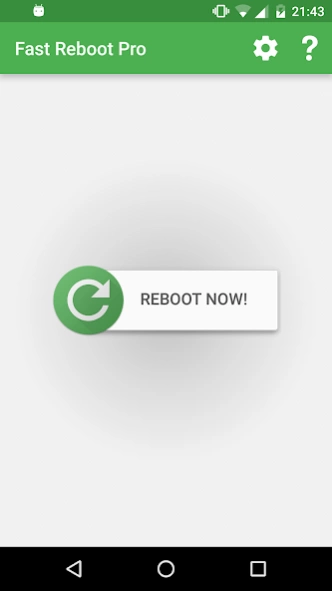
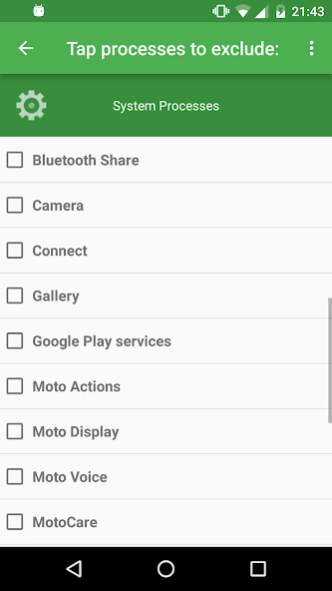


Simulates a reboot and thus frees up memory - your phone will be much snappier!
- Select processes that should be excluded from being restarted/closed!
- Schedule automatic fast reboots (e.g. every day at 4am)
- Option to automatically fast reboot when you unlock your device (from standby)
- Comes with a widget and a direct shortcut to instantly start a reboot
Simulates a reboot by closing/restarting all core and user processes (configurable) and thus frees up memory. Your phone should be much snappier after using Fast Reboot Pro.
Fast Reboot Pro now includes an option to automatically perform a "fast reboot" every time you unlock your device (i.e. when you turn it back on from sleep and "slide" to unlock). This way, your phone will _always_ be as fast and responsive as possible! In addition, you can now schedule a fast reboot so that your phone is fast rebooted automatically at a certain time each day (configured by you, e.g. 4am when you're least likely to be using your phone)
Want to perform a fast reboot when your battery drops below 30%, or when you leave work? Download the free Fast Reboot plugin to integrate the app with Locale / Tasker: http://goo.gl/FlgLA
If you don't see the widget in the widget-list, please move the app back to your phone's internal memory (Settings, Application Settings, Fast Reboot Pro, Move to Phone). This is a limitation of the Android system which I unfortunately have no control over!
App icon by
Arabi Ishaque
About Fast Reboot Pro
The company that develops Fast Reboot Pro is Great Bytes Software. The latest version released by its developer is 1.0 .
To install Fast Reboot Pro on your Android device, just click the green Continue To App button above to start the installation process. The app is listed on our website since 2017-09-17 and was downloaded 0 times. We have already checked if the download link is safe, however for your own protection we recommend that you scan the downloaded app with your antivirus. Your antivirus may detect the Fast Reboot Pro as malware as malware if the download link to com.greatbytes.fastrebootpro is broken.
How to install Fast Reboot Pro on your Android device:
- Click on the Continue To App button on our website. This will redirect you to Google Play.
- Once the Fast Reboot Pro is shown in the Google Play listing of your Android device, you can start its download and installation. Tap on the Install button located below the search bar and to the right of the app icon.
- A pop-up window with the permissions required by Fast Reboot Pro will be shown. Click on Accept to continue the process.
- Fast Reboot Pro will be downloaded onto your device, displaying a progress. Once the download completes, the installation will start and you'll get a notification after the installation is finished.
Program Details
System requirements
Download information
Pricing
Version History
version
posted on 2017-09-17
v5.2:
- Re-added the exclusion list for Android Nougat & Oreo
v5.1:
- Compatibility with Android Oreo
v5.0:
- New icon (thanks to Arabi!)
- Material redesign
v4.1:
- Fix for Android 5.1.1+
v4.0:
- Complete redesign based on ICS/JB style
- The "reboot on unlock"-feature is now compatible with GO Locker!
- Added separate notification options for manual/scheduled autoreboots
- Option to delay auto-reboots on screen-lock for 5 seconds to prevent accidental reboots
version
posted on 2016-08-15
v5.0:,- New icon (thanks to Arabi!),- Material redesign,v4.1:,- Fix for Android 5.1.1+,v4.0:,- Complete redesign based on ICS/JB style,- The "reboot on unlock"-feature is now compatible with GO Locker!,- Added separate notification options for manual/scheduled autoreboots,- Option to delay auto-reboots on screen-lock for 5 seconds to prevent accidental reboots,- The list of restarted/closed apps is now sorted alphabetically
version 1.6
posted on 2010-12-23
Several fixes and updates
Disclaimer
Official Google Play Link
We do not host Fast Reboot Pro on our servers. We did not scan it for viruses, adware, spyware or other type of malware. This app is hosted by Google and passed their terms and conditions to be listed there. We recommend caution when installing it.
The Google Play link for Fast Reboot Pro is provided to you by apps112.com without any warranties, representations or guarantees of any kind, so access it at your own risk.
If you have questions regarding this particular app contact the publisher directly. For questions about the functionalities of apps112.com contact us.
